






How to Calibrate and Use the 2026 Jeep Blind-Spot Monitoring System
Changing lanes on the highway should feel like a confident move. But even experienced drivers know mirrors only show so much. The 2026 Jeep Blind-Spot Monitoring (BSM) system addresses exactly that gap, using radar technology to watch the areas your eyes and mirrors can’t reliably cover.
Whether you’re behind the wheel of a new Wrangler, Gladiator, or another model from the lineup, knowing how to set up, calibrate, and read this system pays off every single day. If you’re still shopping, feel free to browse our new Jeep inventory before you visit.
How the 2026 Jeep Blind-Spot Monitoring System Works
The BSM system uses radar sensors built into the sides of the tail lamps to continuously scan the lanes beside your vehicle. When another vehicle enters one of those zones, it triggers a flashing amber indicator in the corresponding outside mirror. BSM activates automatically above 6 mph and shuts off below that threshold. It’s a genuinely useful layer of awareness, especially at highway speeds when vehicles can appear quickly at the edges of your vision.
Blind Spot Detection and Rear Cross Path Detection Explained
Blind Spot Detection targets the zones alongside your vehicle that mirrors simply don’t fully cover. When a car or truck enters that space, the system lights up a warning icon in the corresponding outside mirror. Activate your turn signal toward a detected vehicle and you may get additional warnings, including additional auditory or visual alerts in configurations where those features are integrated.
Rear Cross Path Detection uses the same rear sensors but focuses on traffic approaching from either side when you shift into reverse. It’s especially helpful when backing out of parking spots where the view is blocked by adjacent vehicles or structures. The two functions work as a coordinated pair, covering both highway merges and low-speed reversing.
Where the Radar Sensors Are Located
The radar sensors are integrated into the tail lamp housings at the rear corners of the vehicle. That placement allows them to monitor both adjacent lanes and cross-traffic zones behind it. They stay largely hidden within the vehicle’s structure, which protects them from minor impacts. That said, packed mud or ice during off-road use or winter driving can still cause problems.
Ready to get behind the wheel of a Wrangler or Gladiator equipped with BSM? Explore our financing options to find a payment plan that works for your budget before you come in.
How to Enable and Configure BSM Through Uconnect 5
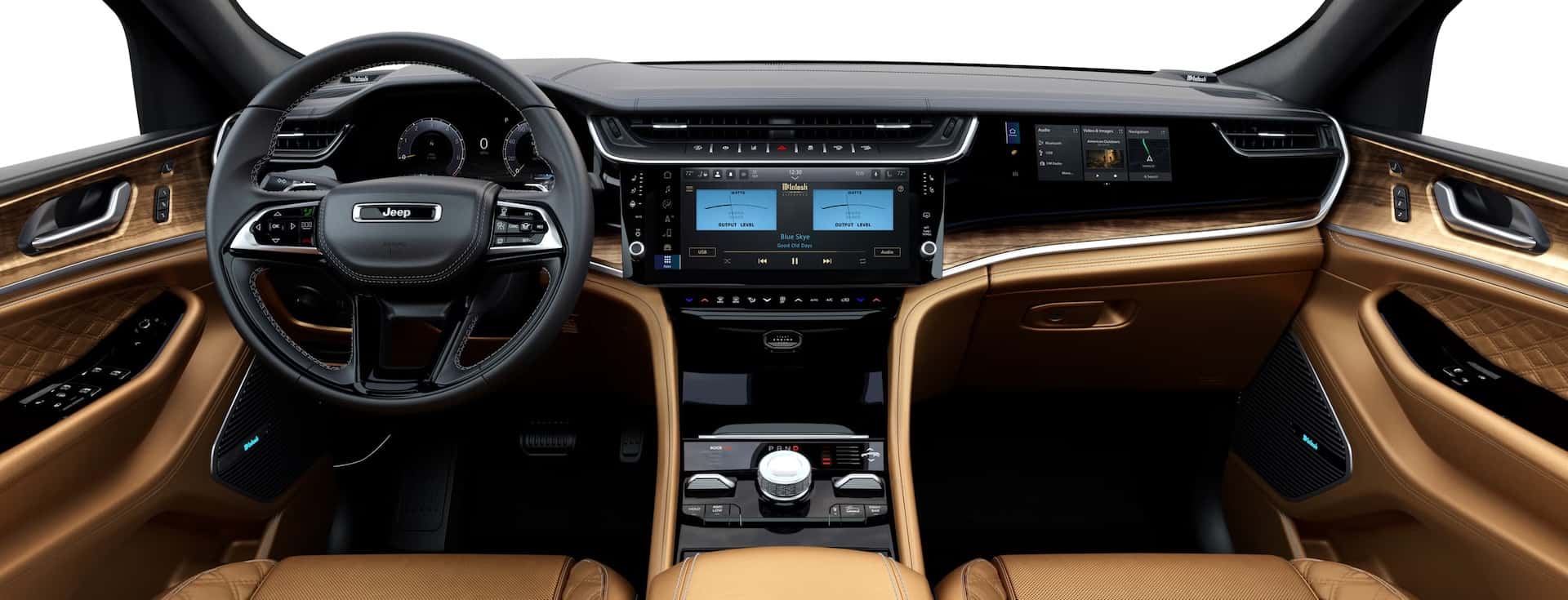
The 2026 Jeep runs the Uconnect 5 infotainment platform, with touchscreen sizes ranging from 7 to 12.3 inches depending on trim and configuration. BSM activates automatically on engine start. At startup, the warning lights in both outside mirrors will momentarily flash as a self-check to confirm the system is operational. That brief flash is a one-time confirmation, not a sustained live indicator.
To adjust settings, navigate to the safety menu and select the options you want for alerts, trailer modes, and adaptive cruise integration. Uconnect 5 lets you choose between visual-only warnings, auditory alerts, or both together. V
isual alerts appear as illuminated icons in the side mirrors; auditory warnings add a chime when you signal while a vehicle is detected. Most drivers find the combined setting more reliable, since the mirror icon alone can get lost in the visual noise of busy highway driving.
Pro tip: If your vehicle battery is disconnected for any reason, your BSM preferences may reset to defaults. Once you reconnect the battery, head back into the safety menu in Uconnect 5 to restore your preferred alert settings.
How to Calibrate the BSM System on a 2026 Jeep
The system comes factory-calibrated from the start. Recalibration becomes necessary after sensor impacts, wheel alignments, bodywork near the tail lamps, or when error messages start showing up. A misaligned sensor can report false positives or miss vehicles that are actually there, which makes the whole system unreliable.
Step-by-Step Calibration Process
- After any sensor service or battery reset, take the vehicle onto a straight highway.
- Drive at a steady speed above 6 mph with minimal traffic nearby.
- Give the system time to complete its self-calibration sequence while you hold a straight path.
- Watch the side-view mirrors for two blinking lights, which confirm the system has activated successfully.
- Check the instrument cluster for any remaining error messages.
- Test with a vehicle in the blind spot to verify the mirror indicators activate without delay.
For a quick reset, disconnect the vehicle battery for a few minutes and reconnect it. This clears minor software faults and prompts the system to reinitialize on its own.
Persistent issues are a different story. That level of calibration requires a factory-level scan tool and special aiming targets, so it’s dealer service only. You can schedule a service appointment with our certified technicians at Stivers CDJR.
Understanding the Warning Indicators and Alert Signals
The primary visual indicator is a small illuminated icon in the corresponding outside mirror. It stays dark under normal conditions and lights up only when a vehicle enters the detection zone.
The audio component ties directly to your turn signal. Signal to change lanes while a vehicle is detected in that zone, and a chime fires as an added warning. The system is calibrated to stay quiet unless there’s a genuine concern, which helps prevent alert fatigue on long drives. That’s a small but thoughtful design choice.
Common Reasons the System Stops Working and How to Fix Them
Sensor Obstructions and Error Messages
Physical obstruction is the most common culprit. The sensors sit in the tail lamp housings at the rear corners, putting them directly in the path of road spray, mud, snow, and ice. Clear the rear bumper area around the sensor housings thoroughly, and the system typically recovers on its own.
Aftermarket trailer hitch installations and metal components positioned directly behind the sensors can scatter the radar signal, producing false alerts or system faults. Incorrect tire sizes can affect sensor angle and detection accuracy too. If you’ve recently added accessories or swapped tires and noticed a change in system behavior, those are the first things worth investigating.
Software issues are less common but do happen. If the system shows a persistent error after you’ve ruled out physical obstructions, a software update or diagnostic scan at our service department is the right next step.
System Limitations to Keep in Mind
BSM does not replace mirror checks or attentive driving. The system can have reduced effectiveness in heavy rain or snow, and it won’t detect fast-approaching vehicles in every scenario. Think of it as a supplement to your awareness, not a replacement for it.
How BSM Improves Your Safety on the Highway
Highway driving places more demand on driver awareness than almost any other environment. The practical benefit of BSM shows up most clearly during multi-lane merges, construction zone navigation, and situations where traffic is moving at mismatched speeds in adjacent lanes. On routes in and around Prattville, where highway on-ramps and rural roads require frequent lane adjustments, having radar confirmation that a lane is clear before you move is a real advantage.
A vehicle traveling faster than you in the next lane can enter your blind zone before you’ve even registered it in your mirrors. BSM catches that vehicle and holds the alert until it clears, giving you the information you need to time the lane change accurately.
Ready to Get Started?
At Stivers Chrysler Dodge Jeep Ram, our team can walk you through which safety packages are available on the models in our inventory and handle any calibration or diagnostic work your current vehicle needs. Browse our new Jeep inventory to see what’s available, or contact our team with any questions.
If your BSM system needs attention, schedule a service appointment with our certified service department and we’ll get it sorted out.
Images by OEM

0 comment(s) so far on How to Calibrate and Use the 2026 Jeep Blind-Spot Monitoring System